
top of page

​关注IT

  • sinokap-it-service-weibo-logo (1)
  • tmall(%25E5%25B7%25B2%25E5%258E%25BB%25E
  • bilibili(已去底)1
  • White Facebook Icon
  • 白LinkedIn圖標
  • White Twitter Icon
  • 白色的YouTube圖標
  • wechat(已去底)
搜尋

O365 邮件手机配置说明

  • consulting938
  • 2020年8月14日
  • 讀畢需時 1 分鐘

重要提示:

由于安全策略的原因,手机自带的邮件应用将不能配置O365邮箱客户端。首先需要在您手机的应用市场搜索并下载微软Outlook应用并按照以下步骤进行配置。


一、IOS系统 -适用机型iPhone


Step1

在App Store搜索Microsoft Outlook下载,完成安装并打开应用


Step2

运行Outlook,在添加账户界面输入您的邮件地址***@vorwerk.cn后点击添加账户按键。

Step3

在跳转密码输入页面中输入您的邮箱密码后,点击登录按键。


二、Android系统 -举例机型Huawei

(其他Android手机可能稍有界面不同)


Step1

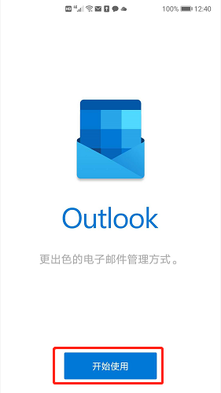
在Android应用市场搜索Outlook下载并完成安装,运行Outlook后点击开始使用

Step2

运行Outlook后点击开始使用,在添加账户界面输入您的邮件地址***@vorwerk.cn后点击继续按键。


Step3

在跳转密码输入页面中输入您的邮箱密码后,点击登录按键。


留言


Contact Us

Hotline: +86-21-3129 0541 

Address: 22nd. Floor, Kerry Center Tower 3, No.1228 Middle Yan An Road, Shanghai, PRC (200040)

E-mail: CONSULTING@SINOKAP.COM

sinokap-it-service-sinokap-logo-white-pi
sinokap-it-service-sinokap-logo-white-le

About Sinokap 

Sinokap supports 7x24 IT Service in China for small or medium-sized enterprises with high-quality performance on IT on-site delivery Service, IT Outsourcing Service, IT Infrastructure, IT Consulting Service, VPN Solutions, Internet Solutions, Microsoft service, Server and Network Maintenance for our clients from more than 200 cities in China.


We have extensive experience of working with MNCs and helping them set up offices in China. Sinokap always achieves and maintains such a high IT Policy standard for IT Service to make sure our clients can focus on their main business. 

Site Map

Follow Us

  • sinokap-it-service-weibo-logo (1)
  • tmall(%25E5%25B7%25B2%25E5%258E%25BB%25E
  • bilibili(已去底)1
  • wechat(已去底)
  • 白色的Twitter圖標
  • 白色的YouTube圖標
  • 白LinkedIn圖標
  • 白色的Facebook圖標

© 2020 Sinokap Technology Co., Ltd. All Rights Reserved.

bottom of page